How it works
Collect, correlate, explain, act
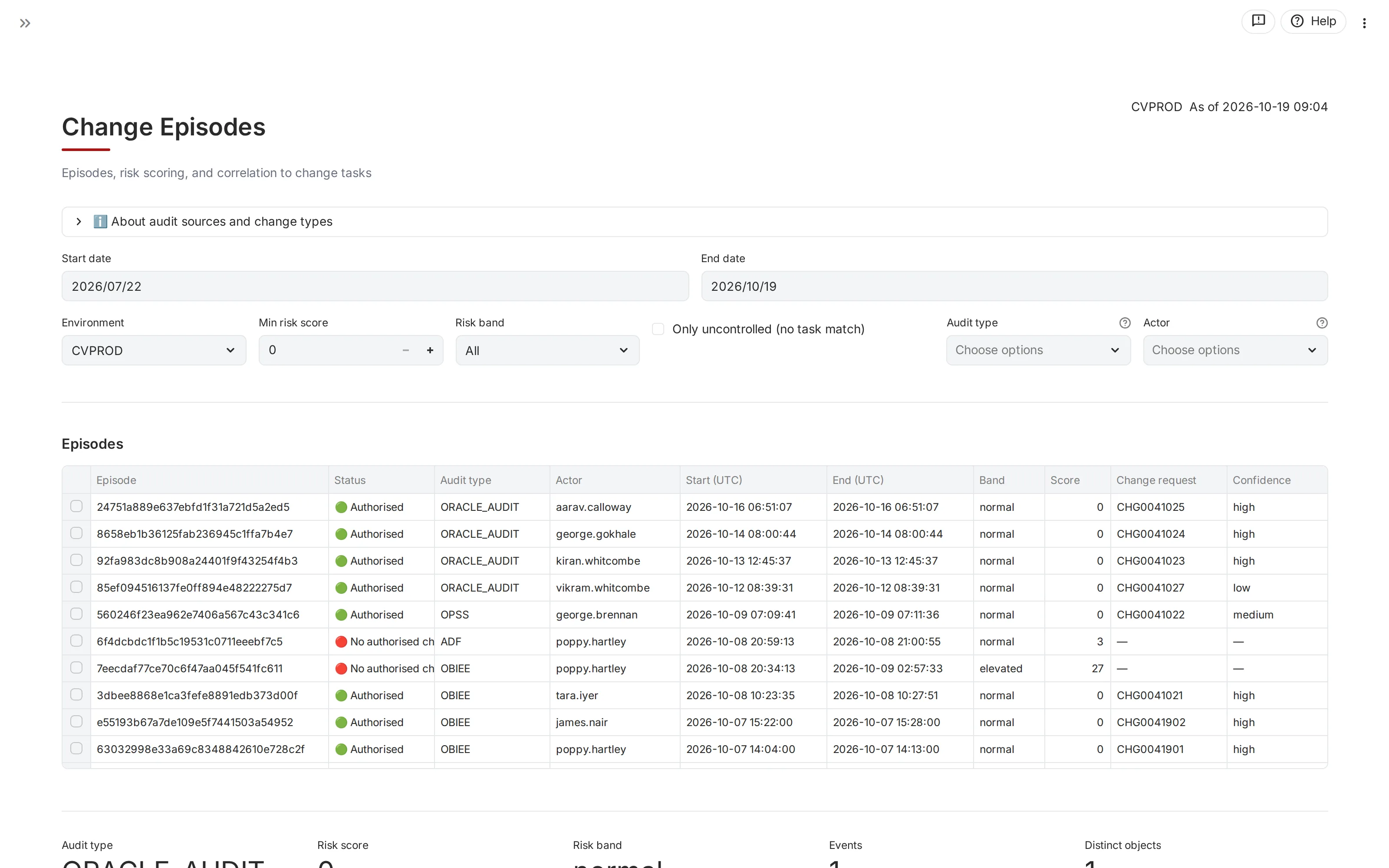
Sentinel turns scattered signals from Oracle Fusion into explained change episodes, and every finding into a recorded decision.
- CollectRead Oracle audit trails, security changes, report and integration activity through Oracle’s own interfaces, together with change requests and deploy tasks from your change management tool.
- CorrelateGroup related activity into change episodes and match each one to the change request that explains it, with the reasons for the match.
- ExplainShow each episode in plain terms: what changed, who did it, when, and whether it was approved. Prioritise by risk.
- ActRoute what needs attention into case management, record the decision, and track the outcome.
The illusion of control
Logs exist. Change requests exist. Controls exist.
So it feels as if everything is under control. What is hidden in the detail tells a different story.
Logs
Too much detail. Everything is recorded, but no one can read it all, so what matters stays buried.
Change requests
They show what was authorised. They cannot show the changes that nobody requested.
Siloed systems
Oracle, the change management tool and the approval trail each hold part of the story.
Too much to match by hand
Changes show in the logs and in the change management tool. Matching them by hand works case by case, not for every change.
The biggest risk isn’t what you know is wrong. It’s what you don’t know is happening.
What you get
Defensible insight, not raw data
- Visibility of real behaviour. What people and systems actually did in Oracle Fusion, not what was planned.
- Risk-based prioritisation. Attention goes first to what matters most.
- Clear explanation. Each change episode reads as a short account you can show to an auditor.
Case management
Nothing is lost. Nothing is ignored.
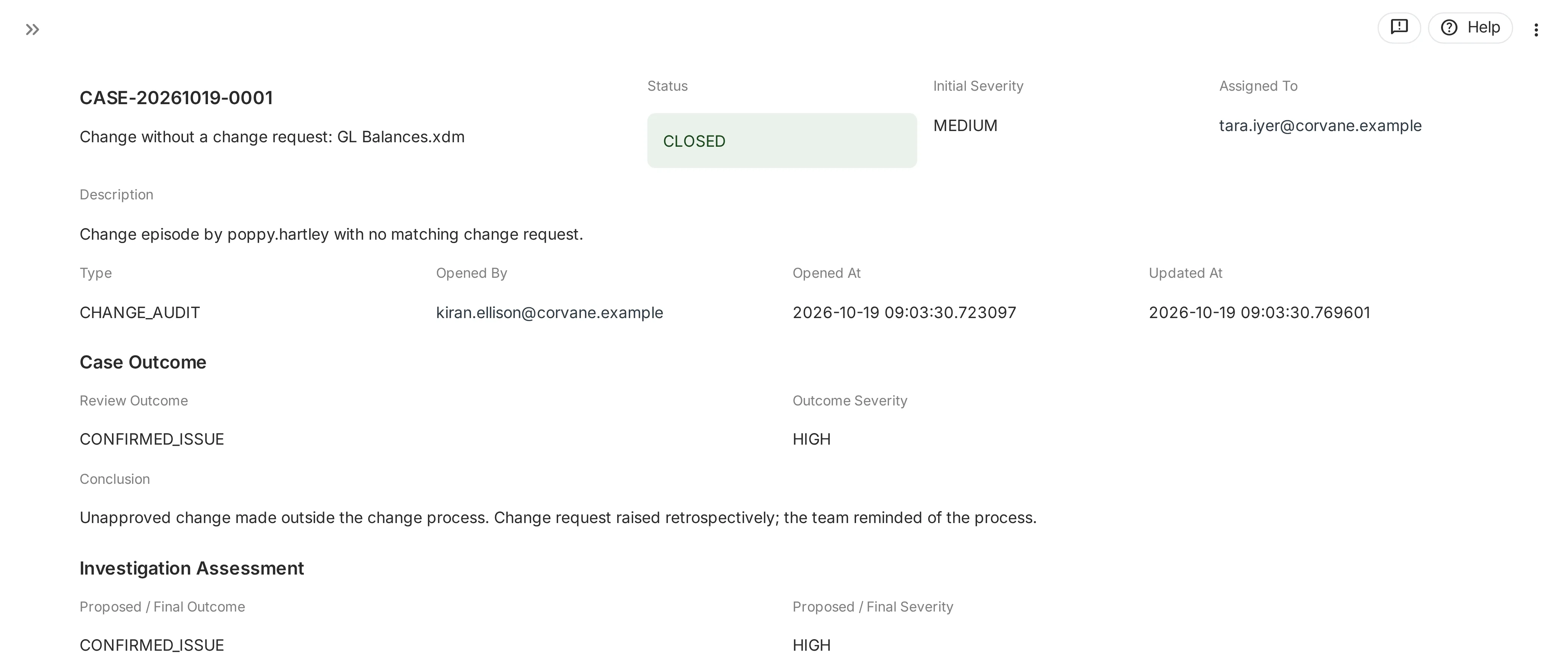
When a change does not match its change request, or Sentinel finds high-risk activity such as a behavioural anomaly or a sensitive access event, you open a case on it. The case records what was found, what was checked and what was decided, through to a reviewed conclusion.
- OpenedFrom the finding itself, with what raised it captured in the case.
- AssignedA named analyst takes it on.
- InvestigatedNotes, files and links are added as evidence, with comments as the work goes.
- AssessedThe analyst proposes an outcome and a severity, with a written conclusion.
- Reviewed and closedA supervisor who did not work the case closes it, or sends it back.
Continuous assurance
From periodic audit to continuous monitoring
A periodic audit looks back at a sample, months later. Sentinel reviews all of the activity it reads, day by day, so issues are explained while the people involved still remember them, and the evidence is ready before anyone asks.
Beyond ERP
A control layer across applications
Oracle Fusion comes first, because that is where the books and the access live. The same approach, linking activity to the approvals behind it, can extend to the other applications around it. We build that step by step, with the customers who need it.
Business impact
Control you can prove
Reduced risk
Unapproved and unexpected activity is seen, not missed.
Reduced audit effort
Evidence is gathered as you go, not assembled under pressure.
Stronger control assurance
Controls are shown to work, with records behind them.
Faster issue resolution
Each finding arrives with its context and an owner.
Clear accountability
Every decision has a name, a reason and a date.
See your own Oracle activity, explained.
We walk you through Sentinel, show how it reads Oracle Fusion, and answer your questions plainly.